
runhug
Find the best Hugging Face model. Deploy on RunPod or GCP in minutes. Run it for pennies. https://runhug.devrecated.com
runhug
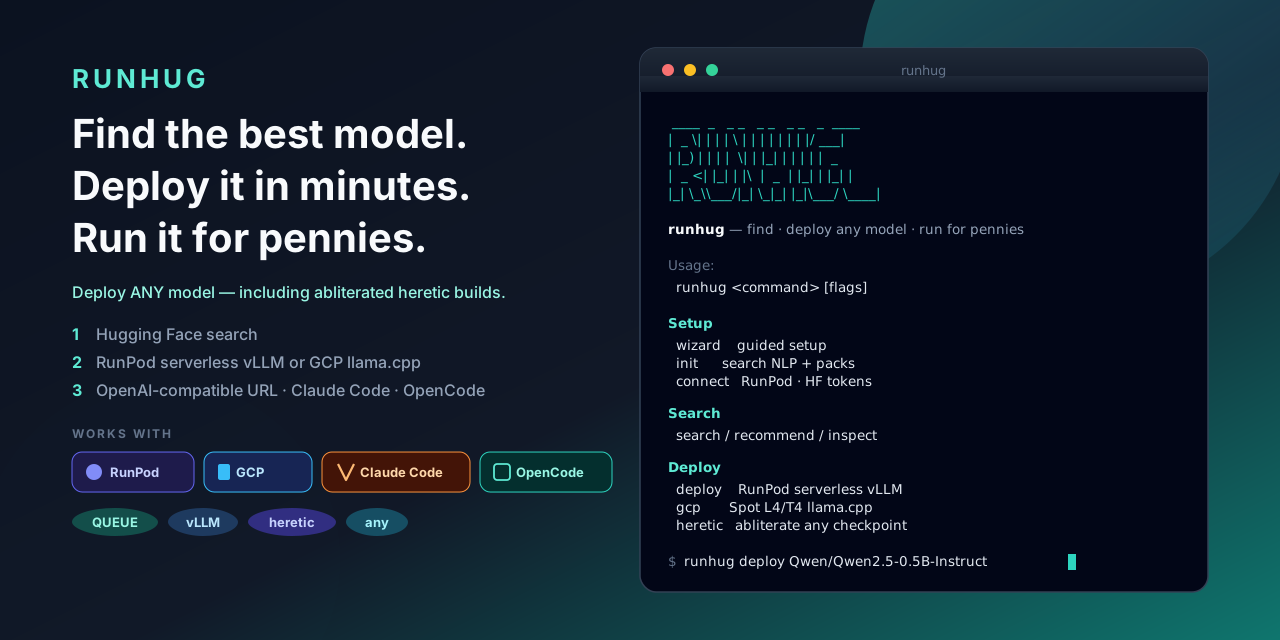
Find the best model. Deploy it in minutes. Run it for pennies.
Website: runhug.devrecated.com · Org: openhat-security
Search Hugging Face, deploy any checkpoint (RunPod serverless vLLM or GCP Spot llama.cpp), then chat via an OpenAI-compatible URL, Claude Code, or OpenCode — including abliterated heretic models trained in-CLI.

Get started in 3 commands
# 1) Install (macOS / Linux — Homebrew; see below for apt/dnf/npm/Windows)
brew install --cask openhat-security/tap/runhug

# 2) Connect keys + pull local search packs
runhug connect && runhug init --yes

# 3) Guided find → deploy → run
runhug wizard
More install options and demos: runhug.devrecated.com
Install
# macOS / Linux — Homebrew
brew install --cask openhat-security/tap/runhug

# Debian / Ubuntu — apt
curl -fsSL https://openhat-security.github.io/packages/install-apt.sh | sudo bash

# Fedora / RHEL — dnf
curl -fsSL https://openhat-security.github.io/packages/install-dnf.sh | sudo bash

# Arch — AUR
yay -S runhug-bin

# Windows — Scoop
scoop bucket add openhat https://github.com/openhat-security/scoop-bucket
scoop install runhug

# Windows — winget
winget install OpenHatSecurity.Runhug

# any OS — npm (Node ≥ 18)
npm install -g runhug
# or: npx runhug wizard

# macOS / Linux — direct binary
curl -fsSL https://raw.githubusercontent.com/openhat-security/runhug/main/scripts/install.sh | bash

# Windows — direct binary (PowerShell)
irm https://raw.githubusercontent.com/openhat-security/runhug/main/scripts/install.ps1 | iex

# optional — Go
go install github.com/adamsiwiec1/runhug/cmd/runhug@latest
Packaging details: packaging/README.md · Releases: github.com/openhat-security/runhug/releases
Quick start
runhug wizard                 # guided setup
runhug init --yes             # search NLP + index packs
runhug connect && runhug connect hf

runhug search -q "small instruct llm"
runhug deploy <model> --dry-run --estimate
runhug deploy <model>         # sampling: recommended / none / customize

runhug upgrade                # CLI via brew/scoop/npm/apt/… (or: update --cli)
runhug update                 # refresh search index / packs

runhug heretic make <org/model> --dry-run --no-upload
runhug deploy --provider gcp <gguf-model> --project <id> --dry-run
runhug gcp dockerfile --model <gguf>   # readonly pager (vim -R / less)
runhug gcp push --image REGION-docker.pkg.dev/PROJECT/runhug/llama-server:cuda
runhug gcp tunnel

runhug proxy                  # OpenAI proxy @ 127.0.0.1:8080/v1
runhug proxy --addr 127.0.0.1:8090
                              # /v1/embeddings → registry embed_model (nomic-embed-*)
                              # chat → current (GCP tunnel / RunPod / local)
runhug gcp deploy <gguf> --embeddings   # llama-server --embeddings
runhug run [model]            # chat REPL (fullscreen; /mini for scrollback)
runhug start claude           # Claude Code bridge
runhug start opencode         # OpenCode bridge
runhug run opens a fullscreen framed chat. Type /mini to restore normal scrollback, /full to go back.
Set preferred embed row: embed_model in ~/.config/runhug/settings.json (or register nomic-embed-text via init / ollama).
RunPod OpenAI bases: QUEUE https://api.runpod.ai/v2/{id}/openai/v1 · load balancer https://{id}.api.runpod.ai/v1
Endpoint exposure & auth
Neither provider ships an anonymous open model URL. Auth differs by where the OpenAI base lives:
RunPod (runhug deploy) | GCP (runhug deploy --provider gcp) | |
|---|---|---|
| URL | Public HTTPS on api.runpod.ai | Local only after runhug gcp tunnel → http://127.0.0.1:<port>/v1 |
| Auth | RunPod API key (Authorization: Bearer … / RUNPOD_API_KEY) | Per-instance Bearer (llama-server --api-key; CLI stores it under ~/.config/runhug/gcp/) |
| Network | Internet-reachable endpoint ID | llama binds 127.0.0.1 on the VM; default create uses no public IP (SSH/IAP + Cloud NAT) |
| Without a key | 401 Unauthorized | 401 Invalid API Key (even on the tunnel) |
GCP soft locks: no Bearer baked into the image (metadata/API_KEY at runtime), IAP firewall scoped to Google’s IAP ranges, access via SSH local-forward — not a public :8080. Dogfood may opt into a public IP; the model port still requires the Bearer and still binds loopback unless you change the image.
Tips
- Plans print essentials by default. Pass
--verbose/-vfor cost assumptions, env dumps, and Dockerfile on GCP dry-run. --estimate/-eshows cold/warm/daily cost scenarios (assumptions still need-v).runhug help,runhug gcp help,runhug heretic help,runhug gpu help— short colorized command lists.- Other commands:
inspect,recommend gpu,update,gpu list|set|clear|update,list,local …,config get|set. - Env:
RUNPOD_API_KEY,HF_TOKEN,RUNHUG_CONFIG,NO_COLOR,PAGER.
📚 Wiki — setup walkthrough + demo tapes
Record the demo GIF: brew install vhs && make demo-vhs TAPE=quickstart → assets/screenshots/quickstart.{gif,mp4} (assets/quickstart.tape).
Model index packs
runhug init / runhug packs install / runhug packs update installs category
SQLite index packs from
openhat-security/hfpacks Releases.
Pack production (Hub crawl, csv/parquet export, release CI) lives in the standalone
hfpacks repo — runhug only downloads and merges.
runhug packs list                       # installed + release + catalog (ids / MATCH)
runhug packs install llm gguf           # download + merge into ~/.config/runhug/models.db
runhug packs update                     # refresh installed packs from latest hfpacks Release
runhug update --packs                   # alias for packs update

runhug search aero --type llm --limit 50
runhug search qwen --online --engine vllm   # live Hub (optional; set HF_TOKEN)
Override the pack source with RUNHUG_PACKS_REPO=owner/name if needed.
To build packs locally (maintainers / heavy crawls):
git clone https://github.com/openhat-security/hfpacks.git
cd hfpacks && go build -o bin/hfpacks ./cmd/hfpacks
./bin/hfpacks build -out dist/index -format sqlite,csv,parquet
Prefer Releases over committing multi‑hundred‑MB binaries to main. Questions:
Discussions.
License & contributing
LICENSE · CONTRIBUTING.md · SECURITY.md · CHANGELOG.md · SUPPORT.md